

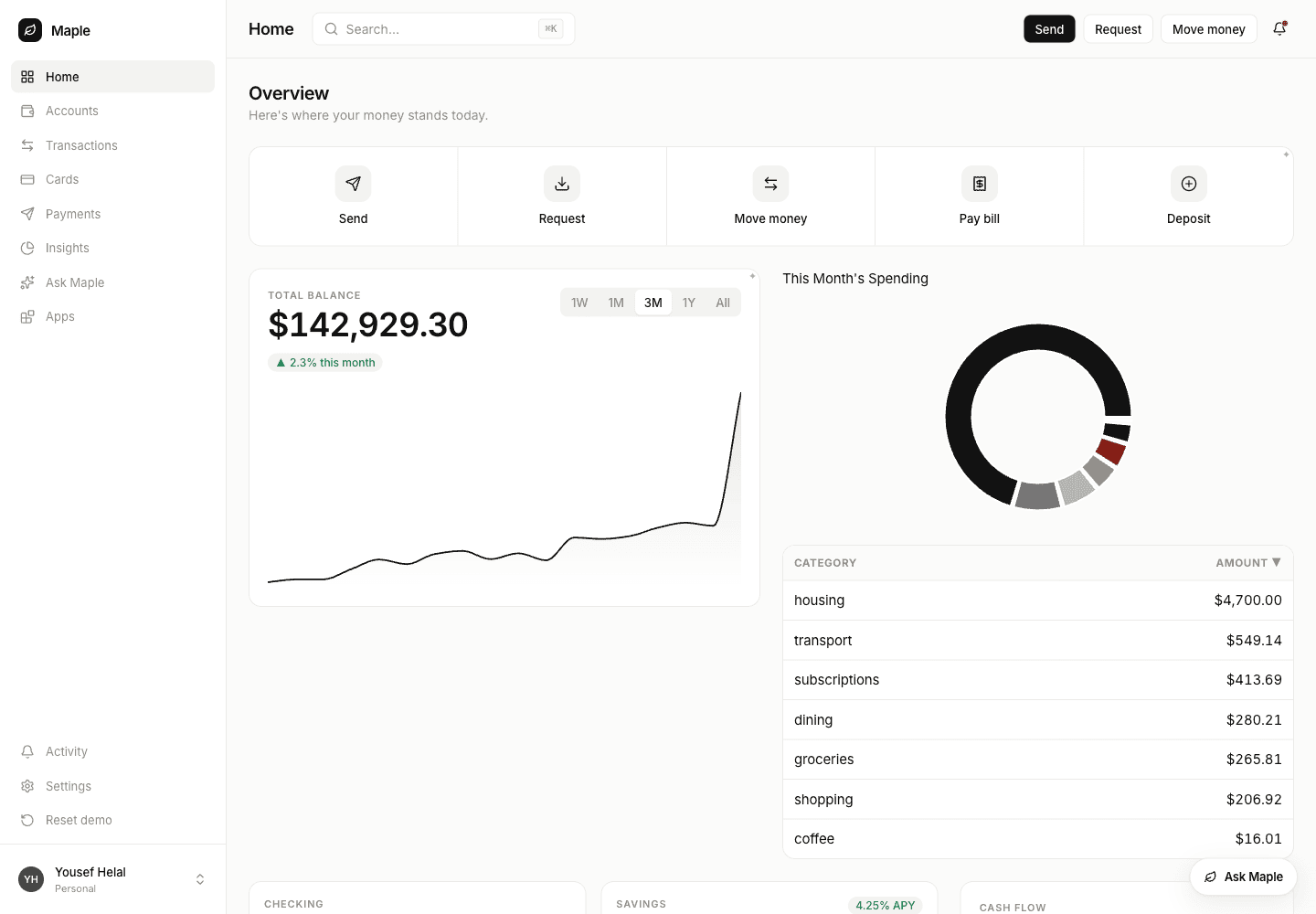
A generated spending breakdown filling a host's own page slot. The figures come from the host's endpoint at render time — nothing in the request was a number the agent computed.
1. Install
package.json and writes:
Init never edits a file you authored, so one paste is yours:
<VendoOverlay />, Vendo’s own launcher pill.
Delete that line if your agent is the only conversation in your product — but
keep the provider, or the slots and embeds below have no wire to read.
Full inventory: vendo init. Caller identity comes from
your auth, through principal or an auth preset.
2. Pick how your agent reaches Vendo
One question: can your agentimport the package? Node or TypeScript in the
same app as createVendo → Path A. Separate service, another language, or you
already standardize on MCP connectors → Path B.
Path A — tools in your agent
vendoMastraTools(vendo) from
@vendoai/vendo/mastra is the same pack in createTool shape, with the
principal on Mastra’s RequestContext. Detail:
AI SDK · Mastra.
Path B — Vendo as an MCP connector
Three things, none of them scaffolded by init:https://your-app.example.com/api/vendo/mcp. The OAuth is nobody’s code.
Adapter contract, consent page, and tool-menu curation:
Bring your own agent over MCP ·
door internals.
The fork, side by side
Identical either way: the same tools, the same guard-bound registry (policy, approvals, audit), the same receipt of words rather than pixels, the same slots, the same.vendo/theme.json.
3. Teach your agent when to use it
A tool your agent never reaches for is not a feature. Paste this into your system prompt, beside whatever you already say about your other tools.WHERE IT LANDS is both paths; add MOVING ONE THEY ALREADY HAVE only on Path B, because teaching an agent about a tool it does
not have is how you get an invented tool call:
examples/claude-code-plugin/skills/make-a-screen.
4. Your first screen
status is "ready", "building", or "failed", and
"building" is honest — an escalated build outlives the call and there is
nothing to poll. "failed" means the checks floor rejected a view whose
bindings claim data your host does not return, or whose props do not type-check;
nothing is painted.
In process the call returns fast: the first streamed view part carries the app’s
permanent id, so your loop gets a vendo/app-ref@1
(envelope contract) while the build streams over the
wire.
5. Put it where you want it
A slot is your markup:@vendoai/ui as a direct dependency. Empty, the slot renders your children
untouched — no wrapper, so inline one anywhere. Filled: build skeleton, then the
live view, then a failure with a retry. Never a blank hole. One view per slot per
person; a second one evicts the first.
Either path — your agent aims at a slot by id:
slot — you place it, using the appId from the
vendo/app-ref@1 envelope your loop already received:
Building a document or block editor? That is this shape. One
<VendoSlot>
per block, with the block’s own id as the slot id. A generated view then lives
in a block like any other: it moves when the block moves, it is scoped to the
person with that document open, and your editor keeps owning layout.6. Move a screen after the fact
“Put that on my dashboard” about a view they already have isvendo_apps_pin,
which answers with what it displaced so your agent can say what moved:
vendo_apps_unpin clears the slot; the view itself is untouched. Both are
writes — under a cautious policy the first one parks in your approvals queue,
where the person sees the tool, the view, the slot, and the exact arguments
before anything moves. Routes: HTTP routes.
Inside your own chat, your agent’s Vendo tool outputs render inline:
<VendoToolResult> dispatches any vendo_* output — a live view for an app ref,
an approve/deny card for an approval ref, nothing for plain data. You never
branch on envelope type (Embeds and envelopes).
7. The perimeter
- Every call runs as the signed-in person, through the same guard-bound registry Vendo’s own surfaces use — policy, approvals, audit. No second authority path.
- No duplicate of your API credentials. Host actions reach your own routes
through the
actAsseam, never by forwarding an agent’s bearer token; without a grant the call fails closed. - Writes can require the person.
.vendo/policy.jsondecides where that line sits; a parked call waits in your queue while the agent moves on. - Generated views render jailed — in an iframe with
connect-src 'none'by default, so a tree-only view reaches no host tools and performs no egress. Interactions ride the wire back through the guard, never your loop.
Next
The MCP door
Path B end to end: the OAuth dance, the consent page, the connect page for
your users, and a screenshot walkthrough.
Door internals
The
HostOAuthAdapter contract, surfaces.mcp curation, federation,
revocation.Quickstart: AI SDK / Mastra
Path A wired end to end with the real diff — and
the same in Mastra.
Embeds and envelopes
The envelope contract and the three components that render it.
Register your components
So generated views render your branded UI, not generic primitives.