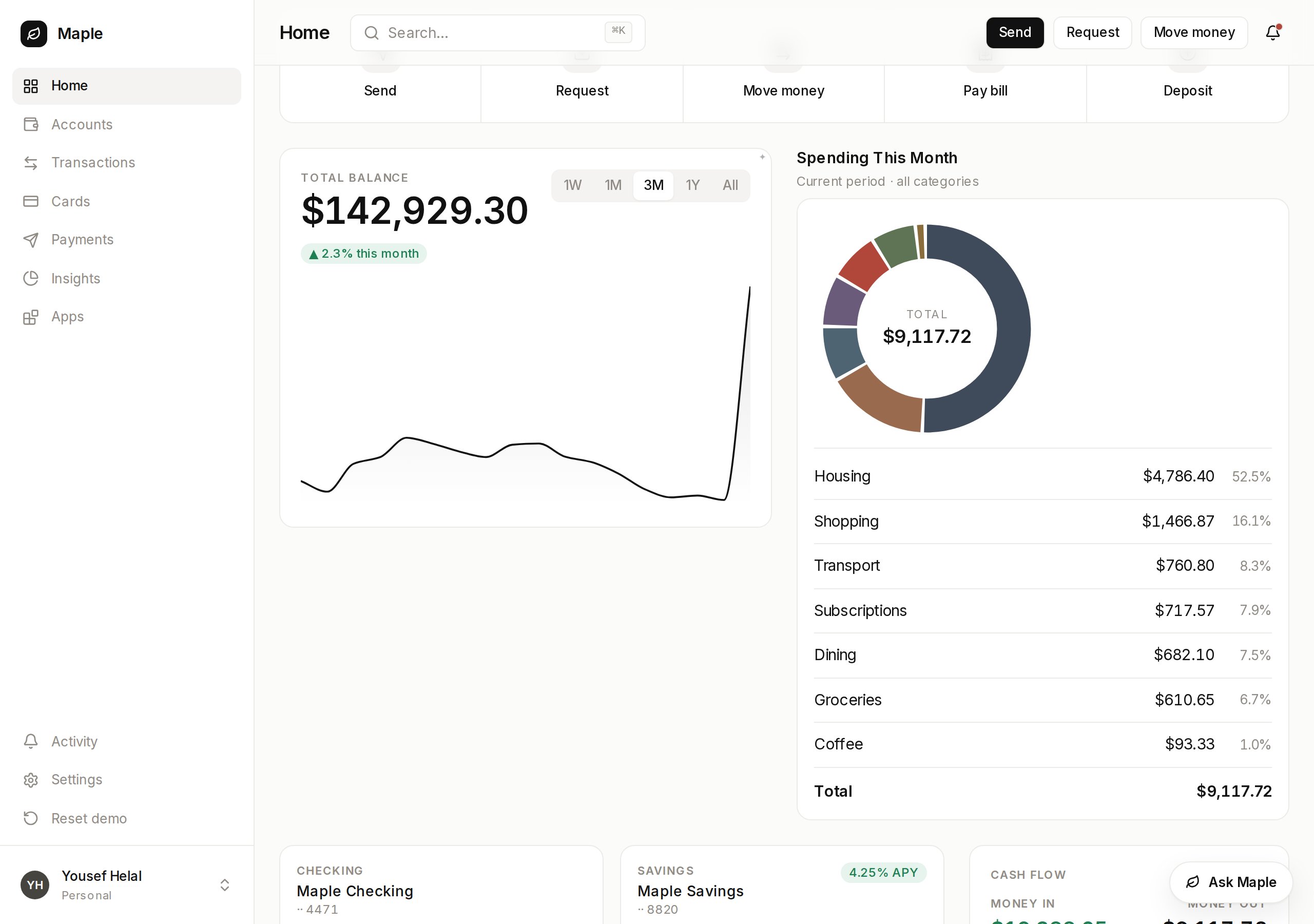
Your agent as a panel inside your own product, in your own brand.
Vendo brings the loop, the model, and the chat surface. You paste three things
into your own client.This picks up after the two commands on the main quickstart:
npm install @vendoai/vendonpx vendo init
pnpm add @vendoai/vendopnpm exec vendo init
1
Mount the provider
Wrap your app in the provider. On Next.js App Router this is your root layout —
if you don’t have one yet (Next 16 no longer scaffolds app/layout.tsx), create
it. Your paths and theme are already filled in.
app/layout.tsx
import { VendoProvider } from "@vendoai/vendo/react";import theme from "../.vendo/theme.json";// in your own RootLayout, props type untouched:<body> <VendoProvider baseUrl="/api/vendo" theme={theme}> {children} </VendoProvider></body>
This is the URL the panel talks to. If your app runs at the root of its
domain, the default /api/vendo just works. If your app lives under a
prefix — say everything is served from /maple — include it:
baseUrl="/maple/api/vendo".
2
Add the overlay
One line inside the provider puts your agent on every page. It opens over your
app, or docks beside it with placement="dock".
Put a slot where a card would go. A screen the agent builds can live there
instead of in the panel.
app/overview/page.tsx
"use client";import { VendoSlot } from "@vendoai/vendo/react";export default function Overview() { return ( <section className="cards"> {/* your own components */} <BalanceTiles /> <VendoSlot id="spend-breakdown" /> <RecentActivity /> </section> );}
Empty, the slot shows a ghost with prompts that open the panel. Ask for a
view, press Pin to dashboard on the card that comes back, and it renders
in your grid and stays there.
Your page, your grid. The card in the middle is generated.