

vendo init and follow the
quickstart.
Vendo’s built-in agent is in beta. Most teams should
bring their own agent and use Vendo’s tools and surfaces
from their existing loop; the embeds render Vendo
inside that chat instead of the chrome below.
The client mount
vendo init never writes a client file. It prints one paste at the end of the
run, naming your layout file and the exact lines. That paste is what connects
your pages to the wire, and vendo doctor fails until it lands. The wrapped
child differs by router.
baseUrl is where the wire is mounted, path prefix included. A deployment
served under /maple passes baseUrl="/maple/api/vendo".
<VendoProvider> renders nothing by itself. Add <VendoOverlay /> inside it
for the launcher pill and panel, or render one of the surfaces below.
Registering host components? Put the registry and the provider in one
"use client" file and mount that in your layout instead. This file is yours;
init does not generate it.
theme prop applies the brand init captured. The cast narrows
TypeScript’s widened JSON-module string literals.
Overlay
The default drop-in: a themed launcher pill that opens a floating conversation overlay over your product, becoming an Intercom-style full-bleed takeover on phones.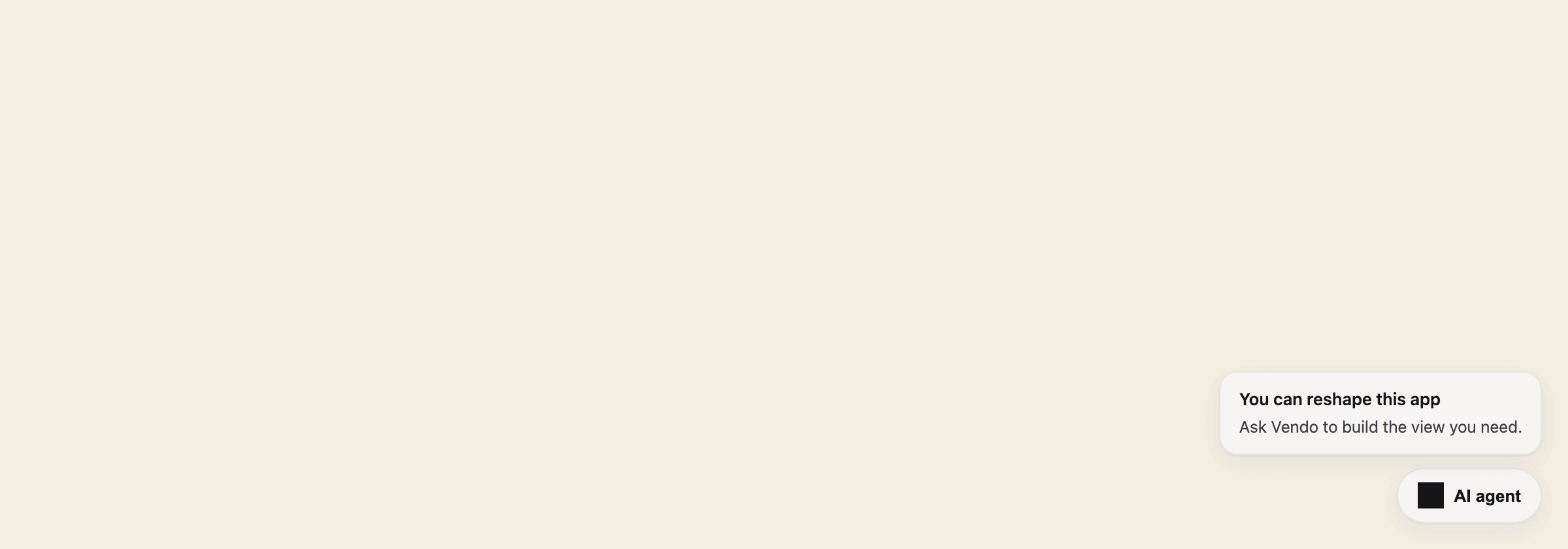
The closed overlay: a quiet launcher pill in the corner, plus the slot invitation.
Tune it
VendoOverlay comes from @vendoai/vendo/react, or from @vendoai/ui/chrome
directly. The launcher anchors to any viewport corner
(launcher="bottom-left", "top-right", …), and when your own UI already
lives in that corner, nudge the whole cluster inward with the object form —
launcher={{ position: "bottom-right", offset: { x: 0, y: 72 } }}. Set
launcher="none" and drive it yourself with the useVendoOverlay hook. For a
different surface entirely, swap <VendoOverlay /> inside your wrapper for
your own composition, or for <VendoThread />. That one lives in
@vendoai/ui/chrome and needs @vendoai/ui as a direct dependency.
<VendoOverlay /> is the only standalone chrome surface
@vendoai/vendo/react re-exports; the BYO embeds (<VendoToolResult>,
<VendoAppEmbed>, <VendoApprovalEmbed>) and every hook come from there too.
Command palette
The same surface one keystroke away: ⌘K opens the conversation overlay in its compact palette form, with host-registered commands on the chip strip. If your product already owns ⌘K in a focused input, Vendo stays out of the way.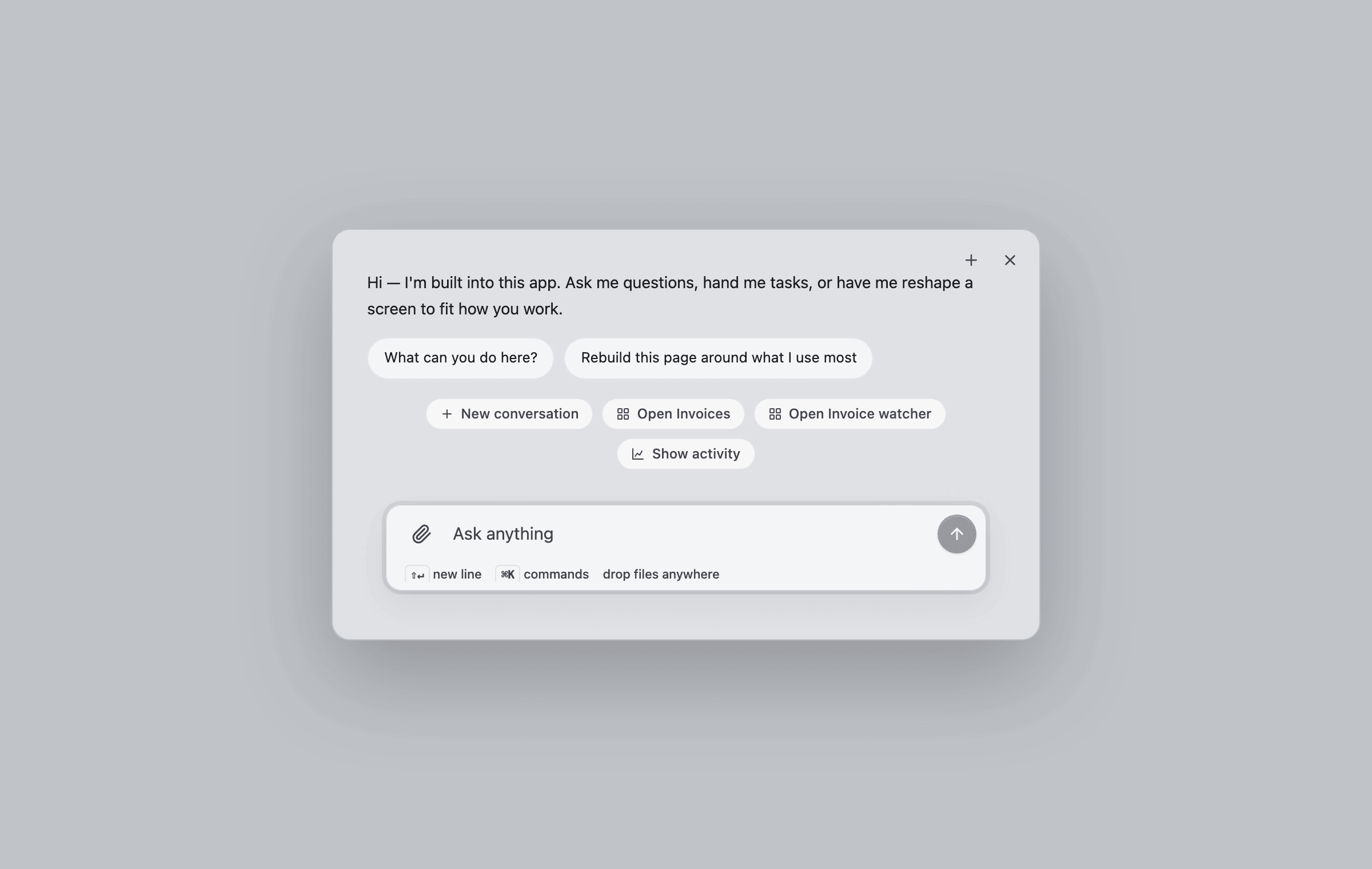
⌘K opens the compact overlay: greeting, suggestions, commands, and the composer.
Thread
The bare conversation surface: composer, streaming replies, tool beats, approval cards, connect cards, and generated views arriving inline. Use it when you want the conversation embedded in your own layout instead of an overlay.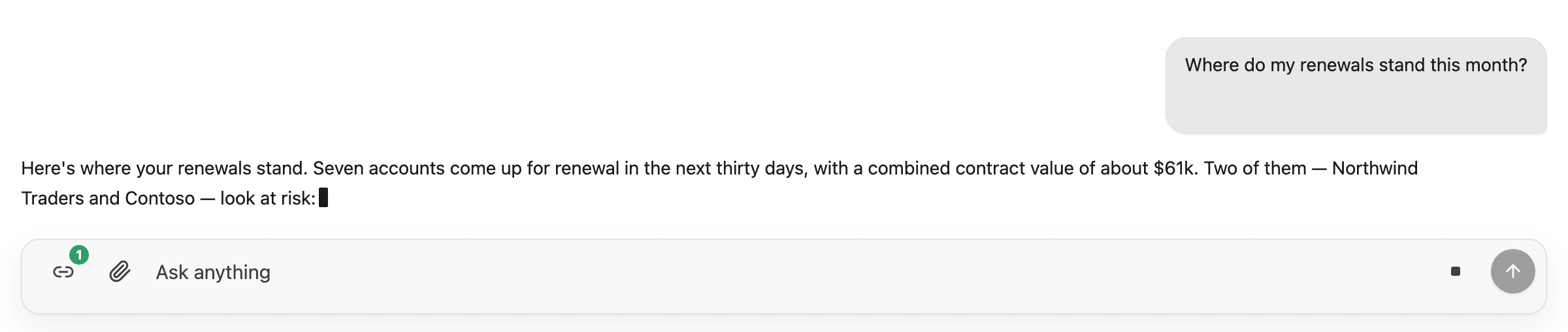
A reply streams into the thread: tool beat, live text, stop affordance.
Generated views
When the agent builds UI, the view streams into the transcript as it forms (skeleton first, then live pieces) and lands as an interactive component, not a screenshot.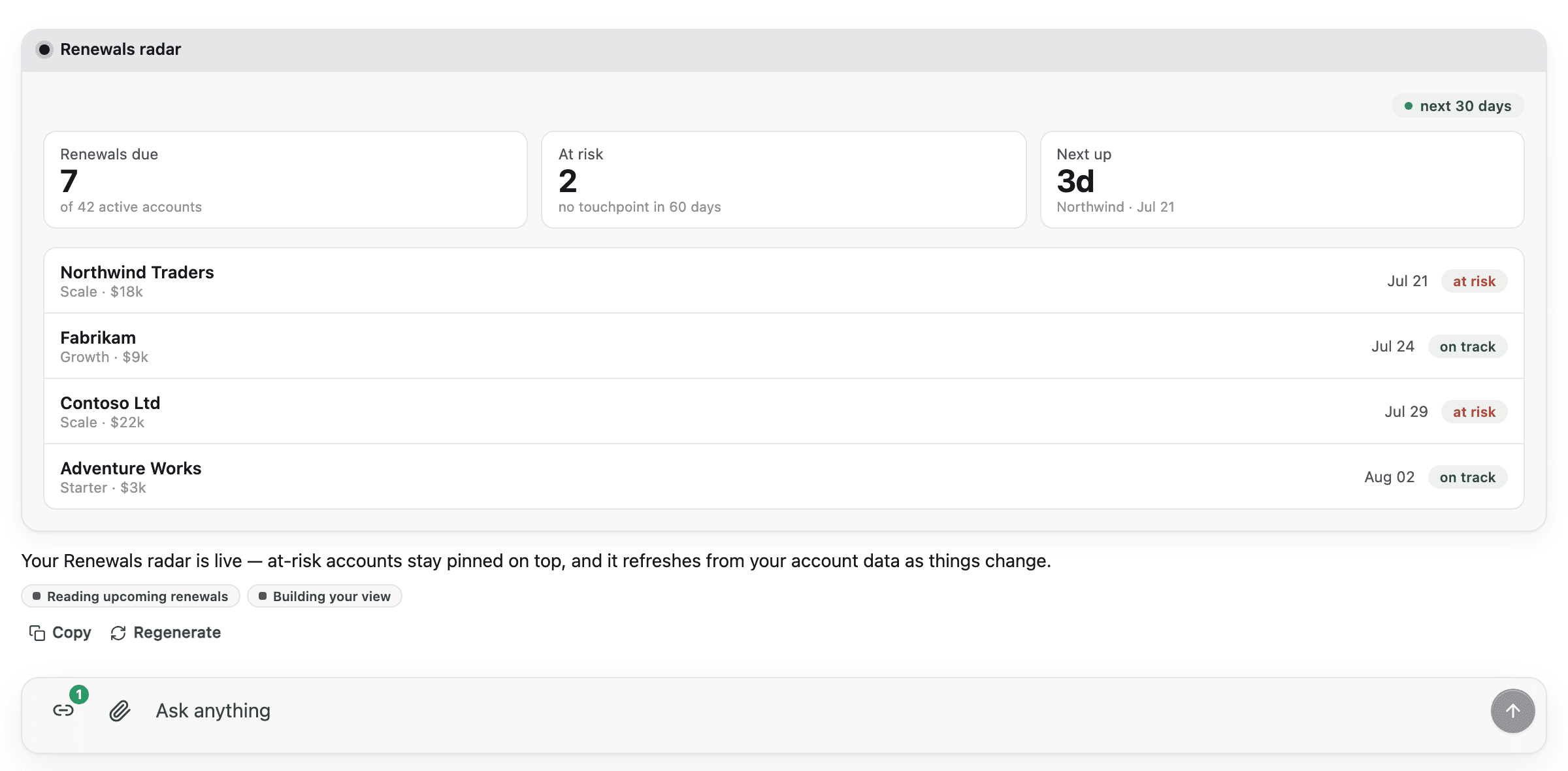
Ask for a view and watch it form: the finished Renewals radar is interactive.
Approvals
A write action parks the turn on an in-thread approval card showing the exact request. Approve it and the same turn resumes: the card morphs into a toast, the tool runs, and the agent confirms.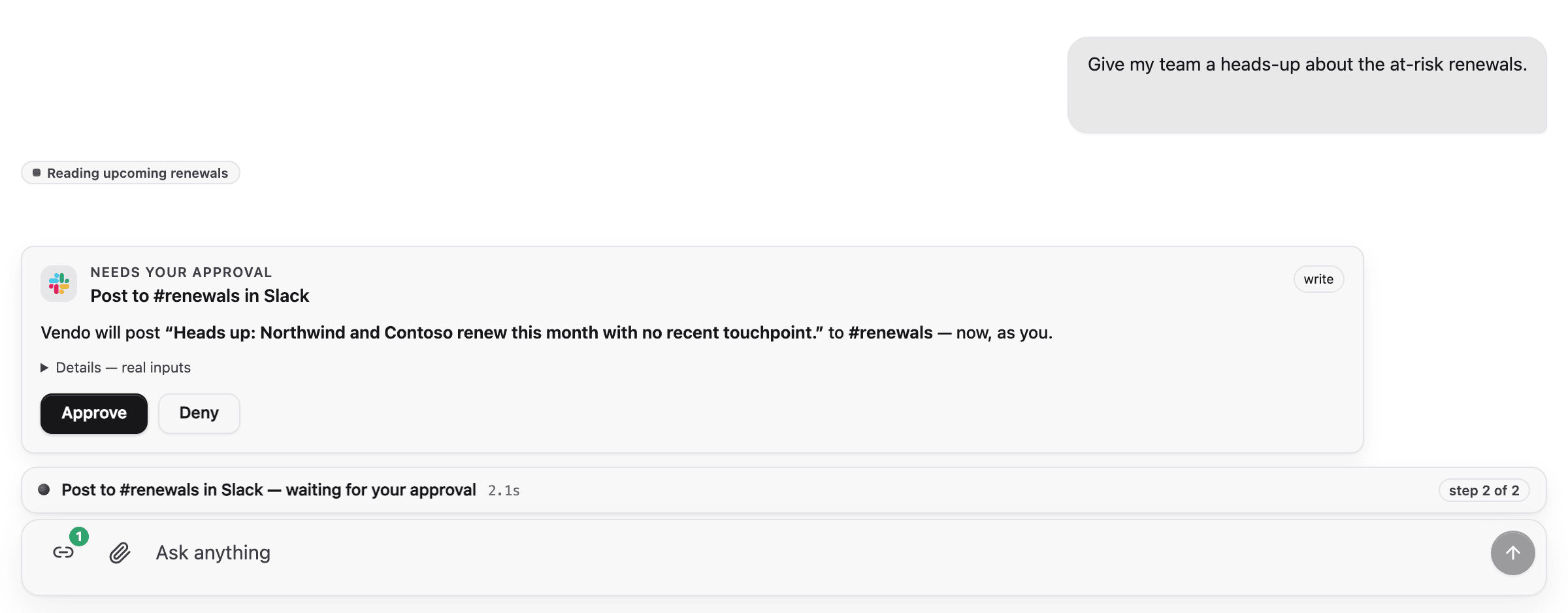
Pending → approved → resumed: press Approve and the turn continues.
Approval modal for screen-initiated presses
When a person presses a button inside a generated view and that press parks on the guard, the confirmation moment shows up as a centered modal over the page — the same ask the thread card raises, at hero size. Approve or Deny spends the decision. Esc and the scrim close the modal but do not decide, so a dismissed ask stays pending and comes back from the badge or the next press. Presses queue: pressing Send on two rows raises two approvals, and exactly one modal is on screen at a time. The next one presents itself once the current one leaves. An ask settled on another surface (the thread, another tab) never gets a turn just to say it was already handled. The modal is auto-mounted everywhere Vendo renders a screen the user can press into:VendoSlot, in-thread app cards and the workspace stage they
expand onto, the BYO chat embeds, and mounted
remix forks. Nothing to wire.
Custom surfaces that render a TreeView, AppFrame, or VendoSlot
themselves pass an onParked prop to receive parked presses and can mount
the modal with the useApprovalModal
hook.
Tool labels
Shipped chrome renders a tool chip every time the agent calls a tool, and an approval card whenever a call needs the user’s sign-off. The wire only carries the raw tool id, the risk, and the arguments; no friendly name, description, or arg formatting reaches the client. Chrome humanizes at the render site so end users never read a raw slug, a lifecycle string, or raw JSON.Default fallback
Without any configuration, chrome prettifies the raw id and args:host_email_sendrenders as “Email send”.gmail_GMAIL_CREATE_EMAIL_DRAFTrenders as “Gmail create email draft”.- Object arguments render as a
Key: valuepreview in the approval card. Non-object args fall back to the server-formatted input preview. The tool chip itself shows only the humanized label, never an argument summary. - Consecutive identical chips (same tool, same args) collapse into one entry
with an
×Ncount. - The chip’s spinner, check, or error icon carries lifecycle state; no
output-availableorTool:text ever renders. - The in-thread approval card no longer prints a fabricated context byline (the live conversation is already the context). Standalone and queue approval cards render their real server-provided venue and app context; neither surface displays principal or presence as separate fields.
Pass friendly metadata to VendoProvider
VendoProvider accepts an optional tools prop keyed by tool name. Every
field is optional. Missing fields fall through to the default fallback.
tools is additive and UI-side. It does not change the wire, the tool
descriptor, or guard behavior: a call still routes through the same policy,
grant, and approval decision described in
Tools and safety.
Read metadata from your own chrome
useVendoTools() exposes the same ToolMetaMap for custom surfaces built on
top of the headless hooks. The hook is provider-optional
and returns an empty map when called outside VendoProvider, so standalone
components degrade to the formatting fallback.
Slot
A placeholder in your product that users can fill with their own generated view. Empty, it shows a quiet ghost with a “Design a view” call to action; filled, it renders the pinned view; broken, it falls back to your original markup, never a blank hole.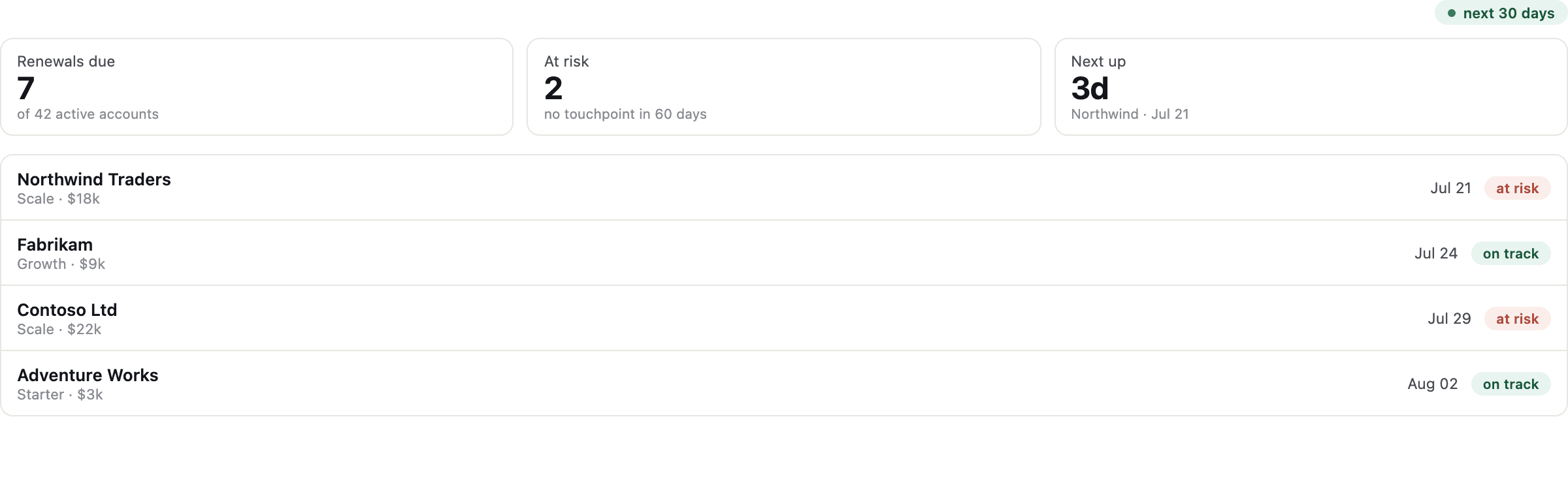
A filled slot: the user's pinned Renewals radar mounted in the host page.
Remixable surfaces
Wrap a component of your own product to make it forkable:prefers-reduced-motion.
Add the review flag (<Remixable review>) for components whose remixes a
host reviewer must approve: the owner keeps seeing the original until
approval, and the approved version then renders in place natively. See
Host components
for capture rules and the review flow.
Embeds for your own agent’s chat
If your product keeps its own agent loop and spreads in the guarded tool pack, three embed components render Vendo inline in that chat instead of the chrome above. See Embeds and envelopes for the envelope contract, the three components, and their props.Theming
Every component above re-themes from one token file. Extract it withvendo init, or hand-edit .vendo/theme.json. See
Theming for the full token reference.