{caption &&
{caption}{live ? " — this is the real component; click around." : ""}
}
;
};
Vendo ships a complete set of brand-native chrome components. Every surface
derives its colors, typography, radius, density, and motion from your
[VendoTheme tokens](/connect/theming), so the same components render on-brand
in any host product. **The components below are live** — the real chrome
mounted against scripted data, the same components your hosts mount. Type,
click, approve.
## Overlay
The default drop-in: a themed launcher pill that opens a floating conversation
overlay over your product. On phones it becomes an Intercom-style full-bleed
takeover with safe-area and keyboard handling. One component, zero layout
changes to your app.
You don't need a demo for this one — **it's running on this page**. The Vendo
pill in the corner is the shipped component; click it and the overlay opens
over these docs, compact first, growing on your first message.
## Command palette
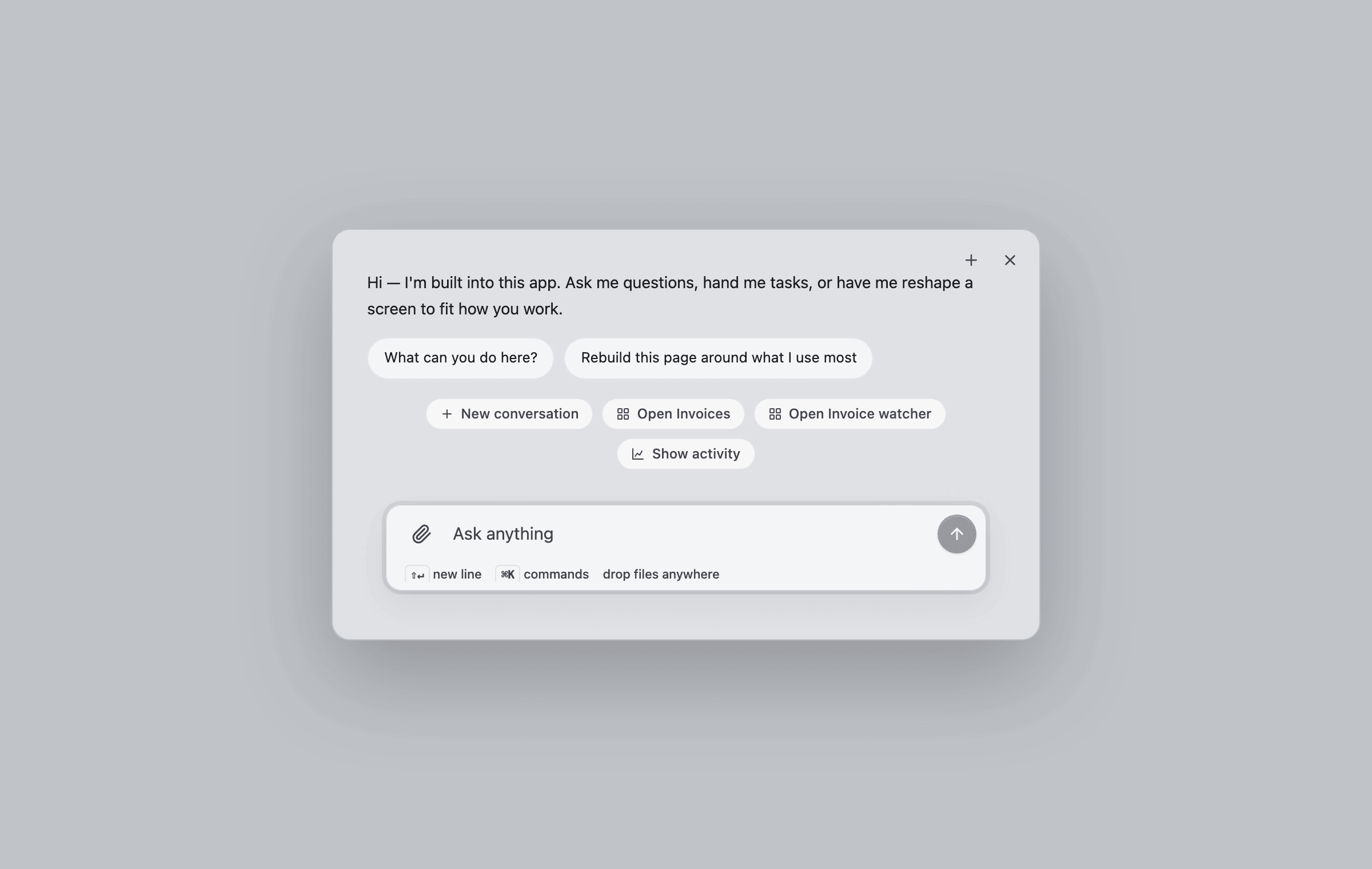
The same surface is one keystroke away: **⌘K** opens the conversation overlay
in its compact palette form, with host-registered commands on the chip strip.
If your product already owns ⌘K in a focused input, Vendo stays out of the
way.
## Thread
The bare conversation surface — composer, streaming replies, tool beats,
approval cards, connect cards, and generated views arriving inline. Use it
when you want the conversation embedded in your own layout instead of an
overlay.
## Generated views
When the agent builds UI, the view streams into the transcript as it forms —
skeleton first, then live pieces — and lands as an interactive component, not
a screenshot.
## Approvals
A write action parks the turn on an in-thread approval card showing the exact
request. Approve it and the same turn resumes — the card morphs into a toast,
the tool runs, and the agent confirms.
## Activities
The approvals queue and humanized activity feed as a host-placeable piece:
pending approvals render as actionable cards on top, recent agent activity
below. Drop it into your own settings or admin pages.
## Slot
A placeholder in your product that users can fill with their own generated
view. Empty, it shows a quiet ghost with a "Design a view" call to action;
filled, it renders the pinned view; broken, it falls back to your original
markup — never a blank hole.
## Page
The full workspace console: conversation history, the waiting-on-you approval
strip, apps, automations, connected accounts, and activity in one routed
surface. Mount it on a dedicated route like `/assistant`.
## Voice
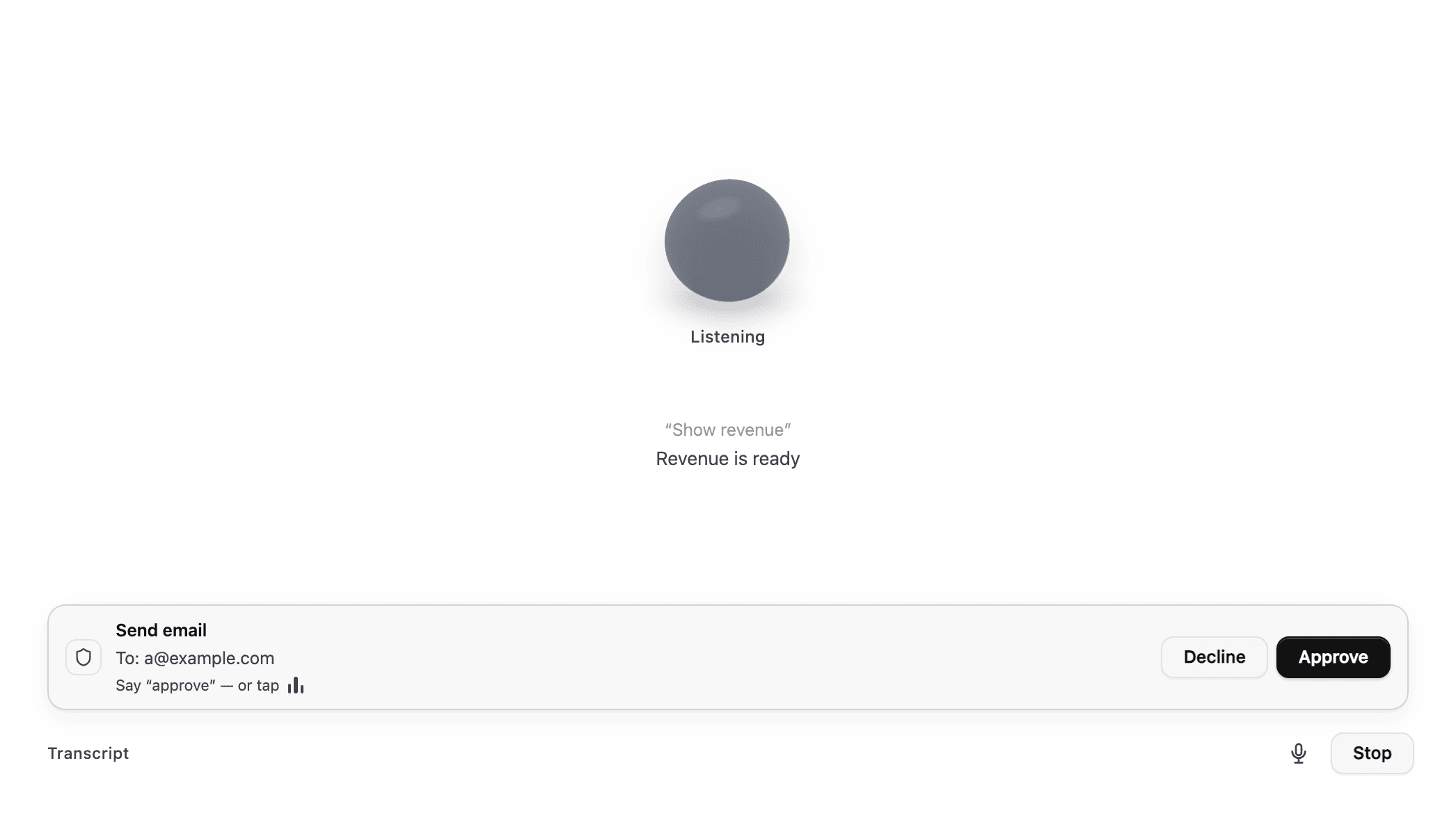
The voice stage: a live orb, streaming captions, views arriving mid-session,
and voice-native approvals — say "approve" or tap. See
[Voice](/capabilities/voice) for wiring it up.
## Embeds for your own agent's chat
Three components render Vendo inside a chat surface that is not Vendo's,
when your product keeps its own agent loop and spreads in the
[guarded tool pack](/existing-agents). All three live inside `VendoProvider`
pointed at the wire and take no config props of their own.
* `` is the dispatcher: give it any `vendo_*` tool
output and it renders the right embed, or nothing for plain data.
* `` renders an inline generated app from a
`vendo/app-ref@1` envelope: a build beat while the build streams, then the
live app. In-app interactions go over the wire, not through your loop.
* `` renders the approve/deny card for a
`vendo/approval-ref@1` envelope and resolves in place to the executed
result, "declined", or "expired".
See [Use with your existing agent](/existing-agents) for the envelope
contract and the AI SDK and Mastra walkthroughs.
## Theming
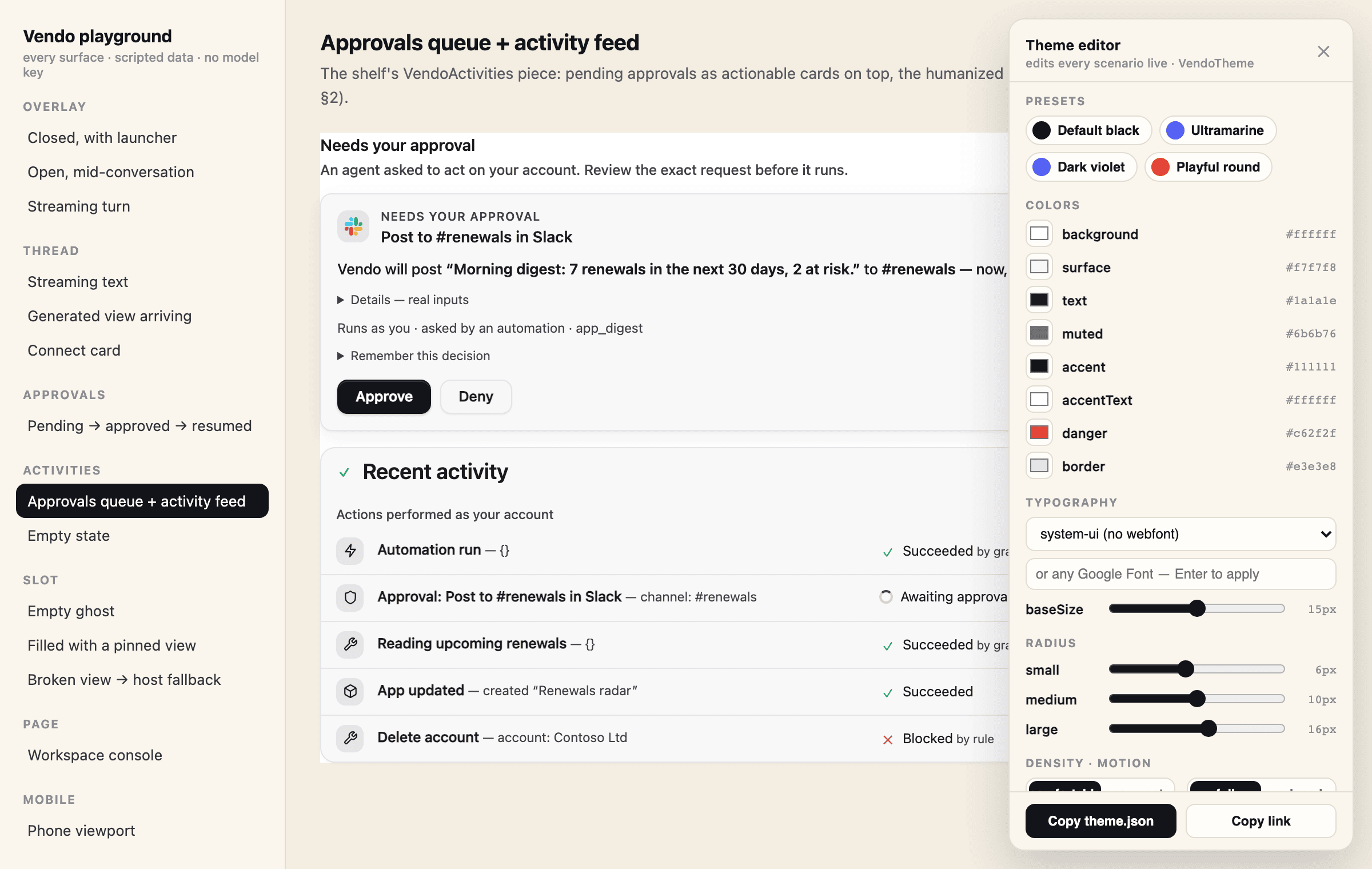
Every component above re-themes from one token file. Extract it with
`vendo init`, or hand-edit `.vendo/theme.json` — the playground's theme editor
emits a valid file from whatever look you land on. See
[Theming](/connect/theming) for the full token reference.
## Try every surface live
The hosted playground renders each surface against scripted data — no model
key, no database, nothing to install. Use the **Theme** button inside it to
edit every theme token live, copy a ready `.vendo/theme.json`, and share a
themed link.
If the embeds on this page do not load, open
[vendo.run/playground](https://vendo.run/playground) directly, or run it
locally with `npx vendoai playground`.
 }
{!live && !failed &&
}
{!live && !failed && 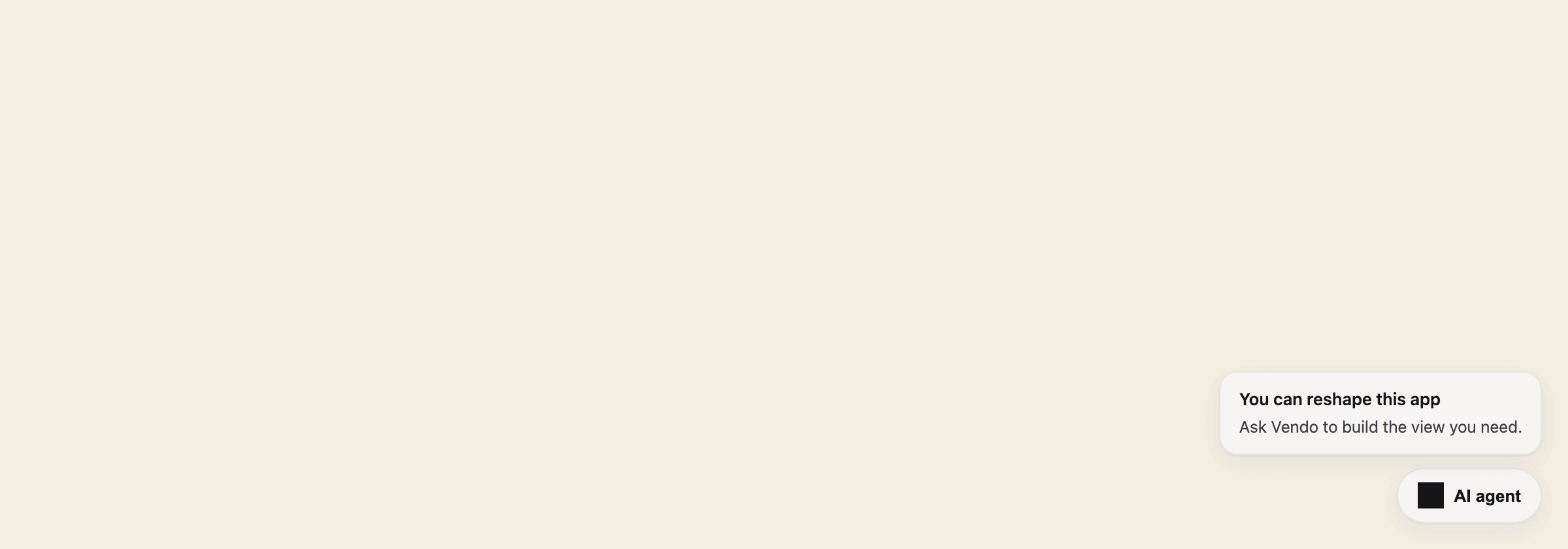 ## Command palette
The same surface is one keystroke away: **⌘K** opens the conversation overlay
in its compact palette form, with host-registered commands on the chip strip.
If your product already owns ⌘K in a focused input, Vendo stays out of the
way.
## Command palette
The same surface is one keystroke away: **⌘K** opens the conversation overlay
in its compact palette form, with host-registered commands on the chip strip.
If your product already owns ⌘K in a focused input, Vendo stays out of the
way.
 ## Thread
The bare conversation surface — composer, streaming replies, tool beats,
approval cards, connect cards, and generated views arriving inline. Use it
when you want the conversation embedded in your own layout instead of an
overlay.
## Thread
The bare conversation surface — composer, streaming replies, tool beats,
approval cards, connect cards, and generated views arriving inline. Use it
when you want the conversation embedded in your own layout instead of an
overlay.
 ## Embeds for your own agent's chat
Three components render Vendo inside a chat surface that is not Vendo's,
when your product keeps its own agent loop and spreads in the
[guarded tool pack](/existing-agents). All three live inside `VendoProvider`
pointed at the wire and take no config props of their own.
* `
## Embeds for your own agent's chat
Three components render Vendo inside a chat surface that is not Vendo's,
when your product keeps its own agent loop and spreads in the
[guarded tool pack](/existing-agents). All three live inside `VendoProvider`
pointed at the wire and take no config props of their own.
* ` ## Try every surface live
The hosted playground renders each surface against scripted data — no model
key, no database, nothing to install. Use the **Theme** button inside it to
edit every theme token live, copy a ready `.vendo/theme.json`, and share a
themed link.
If the embeds on this page do not load, open
[vendo.run/playground](https://vendo.run/playground) directly, or run it
locally with `npx vendoai playground`.
## Try every surface live
The hosted playground renders each surface against scripted data — no model
key, no database, nothing to install. Use the **Theme** button inside it to
edit every theme token live, copy a ready `.vendo/theme.json`, and share a
themed link.
If the embeds on this page do not load, open
[vendo.run/playground](https://vendo.run/playground) directly, or run it
locally with `npx vendoai playground`.