> ## Documentation Index
> Fetch the complete documentation index at: https://docs.vendo.run/llms.txt
> Use this file to discover all available pages before exploring further.
# Set instructions
> Write the product brief your agent reads before every turn: what your product is, who uses it, and how it should sound.
One markdown file says what your product is and how to talk about it. It becomes
the Product section of the system prompt, verbatim, on every turn.
 `vendo init` creates the file and drafts it from your graded tool catalog and
your code. Open it and make it yours.
```md .vendo/brief.md theme={null}
# Maple
Maple is a modern consumer-banking demo with accounts, cards, transactions,
payments, goals, and spending insights. Vendo should act as a concise, warm
banking assistant, use the host API as the signed-in demo user, preserve
integer-cent money semantics, and prefer a generated view when a chart or
table communicates the answer better than prose.
```
Keep it to prose you would hand a new support hire: what the product is, who
uses it, the house voice, and what to emphasize. Once you have edited it, a
later `vendo sync` leaves it alone.
The prompt is assembled fresh on every turn, but the brief is read once when
your server boots. Restart the dev server and the next turn thinks on the new
words.
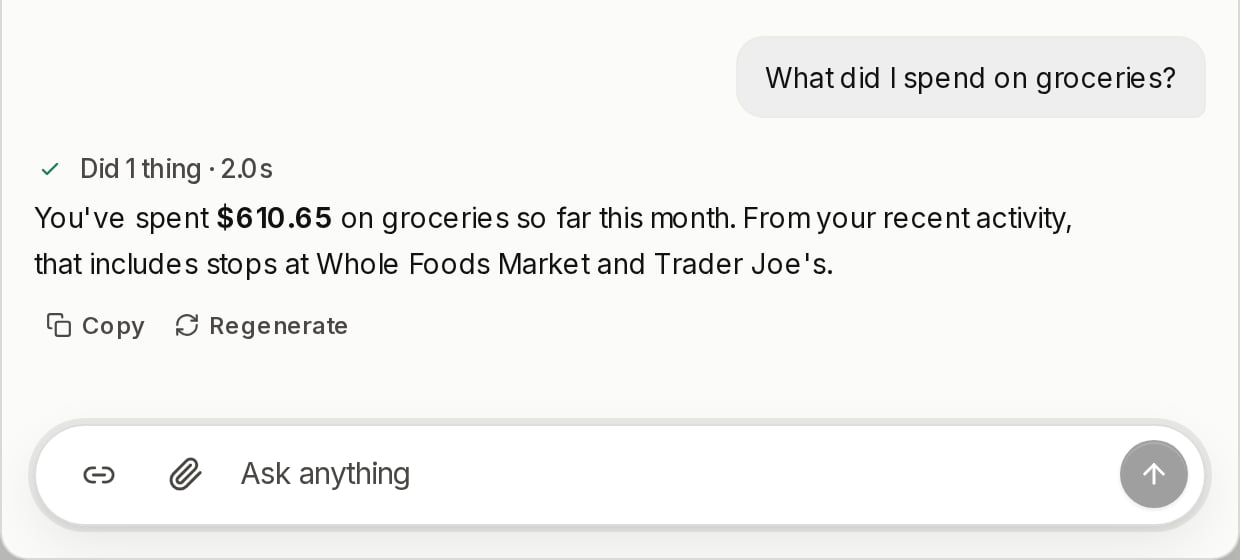
Ask the same question you asked before the edit. The facts come from your
tools; what changes is the voice.
## Good to know
* **Voice here, facts elsewhere.** The brief is how your agent speaks. Answers it
has to look up — policies, limits, how a feature works — belong in the
[knowledge base](/customize/knowledge).
* **Not policy either.** Rules about what the agent may *do* are guard
directions, and they ride their own section of the prompt.
* **Where it lands.** After Vendo's operating sections, before the user facts,
your guard's directions, the theme line, and the knowledge index. A blank brief
drops the section entirely.
* **In code instead.** `createVendo({ instructions })` is the same slot. A
non-blank string wins over the file; a blank one falls through to it.
* **Your own agent loop never sees it.** That agent runs on your system prompt,
not Vendo's — the block to paste there is on
[Generate screens](/howto/screens).
`vendo init` creates the file and drafts it from your graded tool catalog and
your code. Open it and make it yours.
```md .vendo/brief.md theme={null}
# Maple
Maple is a modern consumer-banking demo with accounts, cards, transactions,
payments, goals, and spending insights. Vendo should act as a concise, warm
banking assistant, use the host API as the signed-in demo user, preserve
integer-cent money semantics, and prefer a generated view when a chart or
table communicates the answer better than prose.
```
Keep it to prose you would hand a new support hire: what the product is, who
uses it, the house voice, and what to emphasize. Once you have edited it, a
later `vendo sync` leaves it alone.
The prompt is assembled fresh on every turn, but the brief is read once when
your server boots. Restart the dev server and the next turn thinks on the new
words.
Ask the same question you asked before the edit. The facts come from your
tools; what changes is the voice.
## Good to know
* **Voice here, facts elsewhere.** The brief is how your agent speaks. Answers it
has to look up — policies, limits, how a feature works — belong in the
[knowledge base](/customize/knowledge).
* **Not policy either.** Rules about what the agent may *do* are guard
directions, and they ride their own section of the prompt.
* **Where it lands.** After Vendo's operating sections, before the user facts,
your guard's directions, the theme line, and the knowledge index. A blank brief
drops the section entirely.
* **In code instead.** `createVendo({ instructions })` is the same slot. A
non-blank string wins over the file; a blank one falls through to it.
* **Your own agent loop never sees it.** That agent runs on your system prompt,
not Vendo's — the block to paste there is on
[Generate screens](/howto/screens).