> ## Documentation Index
> Fetch the complete documentation index at: https://docs.vendo.run/llms.txt
> Use this file to discover all available pages before exploring further.
# Add Vendo to your product's agent
> The on-ramp for a product that already ships an agent: vendo init, one fork (in-process tools or the MCP door), the system-prompt guidance that teaches your agent when to build UI, and the slot that decides where the screen lands.
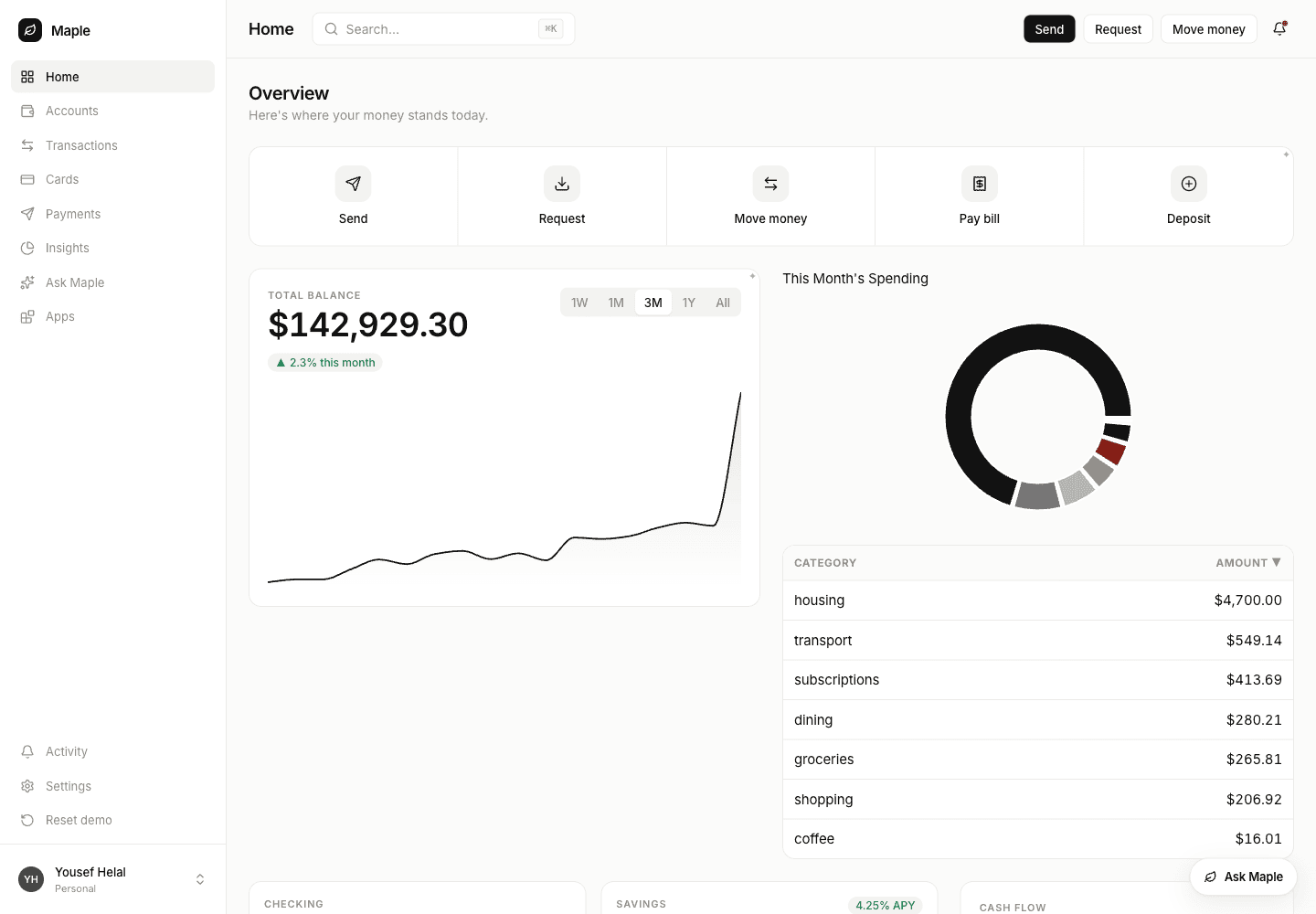
Your user asks your agent for something. A real, live view appears in your
product, on your brand, reading your own data. Your agent keeps its loop, its
model, its tools, its MCP connectors, and its chat UI.
 ## 1. Install
```bash theme={null}
npm install @vendoai/vendo
npx vendo init
```
Init detects your framework and auth from `package.json` and writes:
| | |
| ----------------------------------- | --------------------------------------------------------------------------------------------------------------------------------------------------------------------------------------------------------- |
| the composition | `app/api/vendo/[...vendo]/route.ts` on Next.js (`vendo/server.ts` on Express or `--framework custom`), holding `createVendo()` |
| `.vendo/tools.json` | your API surface read into tool definitions from your routes and OpenAPI spec, each with a schema, a risk grade, and its dispatch binding. `overrides.json` beside it is yours, for renaming and curating |
| `.vendo/theme.json` | your brand, scanned out of your app |
| `vendo/vendo-root.tsx` | a `"use client"` wrapper establishing the provider every Vendo surface reads through |
| `.env.example`, `predev`/`prebuild` | `VENDO_BASE_URL`, and `vendo sync` so `tools.json` tracks your API |
Init never edits a file you authored, so one paste is yours:
```tsx theme={null}
// app/layout.tsx
import { VendoRoot } from "../vendo/vendo-root";
{children}
```
The generated wrapper also mounts ``, Vendo's own launcher pill.
Delete that line if your agent is the only conversation in your product — but
keep the provider, or the slots and embeds below have no wire to read.
Full inventory: [vendo init](/connect/vendo-init). Caller identity comes from
your auth, through `principal` or an [auth preset](/connect/act-as-presets).
## 2. Pick how your agent reaches Vendo
One question: **can your agent `import` the package?** Node or TypeScript in the
same app as `createVendo` → Path A. Separate service, another language, or you
already standardize on MCP connectors → Path B.
### Path A — tools in your agent
```ts theme={null}
// app/api/chat/route.ts — your existing route, one spread
import { vendoTools } from "@vendoai/vendo/ai-sdk";
import { vendo } from "@/lib/vendo";
const result = streamText({
model,
messages,
tools: { ...yourTools, ...(await vendoTools(vendo, { principal })) },
});
```
Built per request: tool execution needs a principal-scoped context, so pass the
caller your auth already resolved. On Mastra, `vendoMastraTools(vendo)` from
`@vendoai/vendo/mastra` is the same pack in `createTool` shape, with the
principal on Mastra's `RequestContext`. Detail:
[AI SDK](/existing-agents/ai-sdk) · [Mastra](/existing-agents/mastra).
### Path B — Vendo as an MCP connector
Three things, none of them scaffolded by init:
```ts theme={null}
// lib/vendo.ts
export const vendo = createVendo({
model,
principal: resolvePrincipal,
mcp: true,
oauth, // a HostOAuthAdapter: session() + principal()
});
```
```ts theme={null}
// app/.well-known/[...vendo]/route.ts — origin-root discovery
import { wellKnownVendoHandler } from "@vendoai/vendo/server";
import { vendo } from "@/lib/vendo";
export const { GET, POST } = wellKnownVendoHandler(vendo);
```
Your existing catch-all already serves the transport. Your agent then adds one
URL: `https://your-app.example.com/api/vendo/mcp`. The OAuth is nobody's code.
Adapter contract, consent page, and tool-menu curation:
[Bring your own agent over MCP](/existing-agents/mcp) ·
[door internals](/capabilities/mcp).
### The fork, side by side
Identical either way: the same tools, the same guard-bound registry (policy,
approvals, audit), the same receipt of words rather than pixels, the same slots,
the same `.vendo/theme.json`.
| Differs | Path A (in process) | Path B (MCP door) |
| ------------------ | -------------------------------------- | --------------------------------------------------------------------------------- |
| Setup | one spread | `mcp: true`, OAuth adapter, discovery route |
| Identity | the `principal` you pass per request | the OAuth'd subject, from `oauth.principal()` |
| Runtime | Node/TS, same process as `createVendo` | any language, any host |
| Clients | your agent | your agent, plus any MCP client you point at it |
| Extra tools | `vendo_delegate` | `vendo_apps_pin` · `vendo_apps_unpin` · `vendo_apps_open` · the saved-apps viewer |
| `vendo_make` takes | `request` · `context` · `app` · `slot` | `request` · `context` · `app` · `slot` |
Read the `Extra tools` row twice. The in-process pack **does not carry** any
`vendo_apps_*` tool — in-app interaction rides the wire, not your loop. Moving
a view your agent already made is still fully available on Path A; you do it
from your own code with the app id, in
[step 5](#5-put-it-where-you-want-it).
## 3. Teach your agent when to use it
A tool your agent never reaches for is not a feature. Paste this into your
system prompt, beside whatever you already say about your other tools.
```text theme={null}
## Making the person a screen
You have `vendo_make`. It puts a real, live view in front of the person, and it
is the only way you can do that. You never build UI yourself.
USE IT when the honest answer is a shape, not a sentence: more than a handful of
rows, a comparison or trend or breakdown, something they will come back to
("track", "every week"), something they need to act on — a screen carries
buttons; your message cannot.
ANSWER IN WORDS when the answer IS words: one number, one status, one fact, a
yes or no, an explanation. A screen for "what's my balance" is worse than saying
the balance.
`request` is prose — what you would say to a designer sitting next to you.
- Describe the want: "the last three months of spending, broken down by
category, with a way to jump into any month"
- No component names, no layout grids, no JSON, no field names you guessed at
- No fonts, colors, or branding: it inherits the product's own
- Never paste numbers you looked up or computed ("Total: $4,210"). The screen
binds live data itself, and hardcoded figures are rejected as invented
`context`: background the product cannot see — what they told you earlier, a
constraint they mentioned, which of several things they meant. A sentence or two.
`app`: ONLY to change one view that already exists, by id or by its name exactly
as they said it. Leave it out and the product decides whether to continue the
last one or start something new, which is usually right.
WHAT COMES BACK is a receipt: id, title, status, and `say` — one line in the
person's voice. Say `say`, close to verbatim. That is the whole report. You never
get the screen; it goes from the server straight to their page, on a channel you
are not on. So:
- NEVER wait for it. Nothing to poll, nothing to check.
- NEVER describe it. You have not seen it. No sections, charts, colors, or
buttons, and never tell them what to click.
- Never paste a link or an id unless they asked.
- status "failed": try once more on the same `app`, narrower, then stop and say
so plainly.
- status "building": honest, not an error. Say the line and move on.
```
Add this second block too. `WHERE IT LANDS` is both paths; add `MOVING ONE THEY
ALREADY HAVE` **only on Path B**, because teaching an agent about a tool it does
not have is how you get an invented tool call:
```text theme={null}
WHERE IT LANDS
By default, the person's own list of views.
`slot`: ONLY when they name a place in the product AND you have that place's
exact id — they said it, or an earlier answer carried it. Slot ids belong to the
product, not to you: NEVER invent one. A made-up id puts the screen where nobody
is looking, and that does not look like an error. No id, no `slot`.
MOVING ONE THEY ALREADY HAVE
`vendo_apps_pin` puts an existing view into a slot; `vendo_apps_unpin` clears
one. Both are writes and can stop for the person's approval.
- Only on an explicit instruction ("put the renewals radar on my dashboard"),
never on something you inferred.
- Pinning replaces: a slot holds one view. If they did not name the slot, ask.
- `slot` on `vendo_make` is for something NEW; to move an existing view, pin it.
```
Source, shipped to Claude Code as a skill:
[`examples/claude-code-plugin/skills/make-a-screen`](https://github.com/runvendo/vendo/tree/main/examples/claude-code-plugin/skills/make-a-screen).
## 4. Your first screen
```json theme={null}
{ "request": "A breakdown of this month's spending by category, largest first" }
```
The view builds on your live data, lands in the person's own list of views, and
your agent gets exactly this:
```json theme={null}
{
"id": "app_790892b0…",
"title": "August Spending",
"status": "ready",
"say": "August Spending is on your screen."
}
```
**Four fields of words, never pixels — the whole contract, not a summary of a
richer one.** The earlier version handed the agent the whole document, and a
model handed a tree eventually talks about the tree: narrating a screen it has
not seen, to someone looking at a different one. So the receipt is deliberately
unusable for narration. `status` is `"ready"`, `"building"`, or `"failed"`, and
`"building"` is honest — an escalated build outlives the call and there is
nothing to poll. `"failed"` means the checks floor rejected a view whose
bindings claim data your host does not return, or whose props do not type-check;
nothing is painted.
In process the call returns fast: the first streamed view part carries the app's
permanent id, so your loop gets a `vendo/app-ref@1`
([envelope contract](/existing-agents/embeds)) while the build streams over the
wire.
## 5. Put it where you want it
A slot is your markup:
```tsx theme={null}
import { VendoSlot } from "@vendoai/ui/chrome";
```
Add `@vendoai/ui` as a direct dependency. Empty, the slot renders your children
untouched — no wrapper, so inline one anywhere. Filled: build skeleton, then the
live view, then a failure with a retry. Never a blank hole. One view per slot per
person; a second one evicts the first.
**Either path** — your agent aims at a slot by id:
```json theme={null}
{ "request": "This month's spending by category, largest first", "slot": "home-hero" }
```
**Path A, without `slot`** — you place it, using the `appId` from the
`vendo/app-ref@1` envelope your loop already received:
```tsx theme={null}
```
**Building a document or block editor? That is this shape.** One ``
per block, with the block's own id as the slot id. A generated view then lives
in a block like any other: it moves when the block moves, it is scoped to the
person with that document open, and your editor keeps owning layout.
Slot ids are yours, and nothing enumerates them for an agent on either path — tell
the agent the id, or let the person say it. That is why step 3 forbids inventing
one.
## 6. Move a screen after the fact
"Put that on my dashboard" about a view they already have is `vendo_apps_pin`,
which answers with what it displaced so your agent can say what moved:
```json theme={null}
// in: { "app": "app_5a3948bc…", "slot": "home-hero" }
{ "app": "app_5a3948bc…", "slot": "home-hero", "evicted": "app_c0d6b562…" }
```
`vendo_apps_unpin` clears the slot; the view itself is untouched. Both are
writes — under a `cautious` policy the first one parks in your approvals queue,
where the person sees the tool, the view, the slot, and the exact arguments
before anything moves. Routes: [HTTP routes](/reference/http-routes).
Both pin tools reach an agent over the MCP door only. Do not put
`vendo_apps_pin` in a Path A system prompt — move a view there by writing the
app id into your own record and re-rendering the slot.
Inside your own chat, your agent's Vendo tool outputs render inline:
```tsx theme={null}
import { VendoProvider, VendoToolResult } from "@vendoai/vendo/react";
{/* for each finished tool part: */}
```
`` dispatches any `vendo_*` output — a live view for an app ref,
an approve/deny card for an approval ref, nothing for plain data. You never
branch on envelope type ([Embeds and envelopes](/existing-agents/embeds)).
## 7. The perimeter
* **Every call runs as the signed-in person**, through the same guard-bound
registry Vendo's own surfaces use — policy, approvals, audit. No second
authority path.
* **No duplicate of your API credentials.** Host actions reach your own routes
through the `actAs` seam, never by forwarding an agent's bearer token; without
a grant the call fails closed.
* **Writes can require the person.** `.vendo/policy.json` decides where that line
sits; a parked call waits in **your** queue while the agent moves on.
* **Generated views render jailed** — in an iframe with `connect-src 'none'` by
default, so a tree-only view reaches no host tools and performs no egress.
Interactions ride the wire back through the guard, never your loop.
[Tools and safety](/concepts/tools-and-safety) ·
[How generated UI works](/concepts/generated-ui).
## Next
Path B end to end: the OAuth dance, the consent page, the connect page for
your users, and a screenshot walkthrough.
The `HostOAuthAdapter` contract, `surfaces.mcp` curation, federation,
revocation.
Path A wired end to end with the real diff — and
[the same in Mastra](/existing-agents/mastra).
The envelope contract and the three components that render it.
So generated views render your branded UI, not generic primitives.
## 1. Install
```bash theme={null}
npm install @vendoai/vendo
npx vendo init
```
Init detects your framework and auth from `package.json` and writes:
| | |
| ----------------------------------- | --------------------------------------------------------------------------------------------------------------------------------------------------------------------------------------------------------- |
| the composition | `app/api/vendo/[...vendo]/route.ts` on Next.js (`vendo/server.ts` on Express or `--framework custom`), holding `createVendo()` |
| `.vendo/tools.json` | your API surface read into tool definitions from your routes and OpenAPI spec, each with a schema, a risk grade, and its dispatch binding. `overrides.json` beside it is yours, for renaming and curating |
| `.vendo/theme.json` | your brand, scanned out of your app |
| `vendo/vendo-root.tsx` | a `"use client"` wrapper establishing the provider every Vendo surface reads through |
| `.env.example`, `predev`/`prebuild` | `VENDO_BASE_URL`, and `vendo sync` so `tools.json` tracks your API |
Init never edits a file you authored, so one paste is yours:
```tsx theme={null}
// app/layout.tsx
import { VendoRoot } from "../vendo/vendo-root";
{children}
```
The generated wrapper also mounts ``, Vendo's own launcher pill.
Delete that line if your agent is the only conversation in your product — but
keep the provider, or the slots and embeds below have no wire to read.
Full inventory: [vendo init](/connect/vendo-init). Caller identity comes from
your auth, through `principal` or an [auth preset](/connect/act-as-presets).
## 2. Pick how your agent reaches Vendo
One question: **can your agent `import` the package?** Node or TypeScript in the
same app as `createVendo` → Path A. Separate service, another language, or you
already standardize on MCP connectors → Path B.
### Path A — tools in your agent
```ts theme={null}
// app/api/chat/route.ts — your existing route, one spread
import { vendoTools } from "@vendoai/vendo/ai-sdk";
import { vendo } from "@/lib/vendo";
const result = streamText({
model,
messages,
tools: { ...yourTools, ...(await vendoTools(vendo, { principal })) },
});
```
Built per request: tool execution needs a principal-scoped context, so pass the
caller your auth already resolved. On Mastra, `vendoMastraTools(vendo)` from
`@vendoai/vendo/mastra` is the same pack in `createTool` shape, with the
principal on Mastra's `RequestContext`. Detail:
[AI SDK](/existing-agents/ai-sdk) · [Mastra](/existing-agents/mastra).
### Path B — Vendo as an MCP connector
Three things, none of them scaffolded by init:
```ts theme={null}
// lib/vendo.ts
export const vendo = createVendo({
model,
principal: resolvePrincipal,
mcp: true,
oauth, // a HostOAuthAdapter: session() + principal()
});
```
```ts theme={null}
// app/.well-known/[...vendo]/route.ts — origin-root discovery
import { wellKnownVendoHandler } from "@vendoai/vendo/server";
import { vendo } from "@/lib/vendo";
export const { GET, POST } = wellKnownVendoHandler(vendo);
```
Your existing catch-all already serves the transport. Your agent then adds one
URL: `https://your-app.example.com/api/vendo/mcp`. The OAuth is nobody's code.
Adapter contract, consent page, and tool-menu curation:
[Bring your own agent over MCP](/existing-agents/mcp) ·
[door internals](/capabilities/mcp).
### The fork, side by side
Identical either way: the same tools, the same guard-bound registry (policy,
approvals, audit), the same receipt of words rather than pixels, the same slots,
the same `.vendo/theme.json`.
| Differs | Path A (in process) | Path B (MCP door) |
| ------------------ | -------------------------------------- | --------------------------------------------------------------------------------- |
| Setup | one spread | `mcp: true`, OAuth adapter, discovery route |
| Identity | the `principal` you pass per request | the OAuth'd subject, from `oauth.principal()` |
| Runtime | Node/TS, same process as `createVendo` | any language, any host |
| Clients | your agent | your agent, plus any MCP client you point at it |
| Extra tools | `vendo_delegate` | `vendo_apps_pin` · `vendo_apps_unpin` · `vendo_apps_open` · the saved-apps viewer |
| `vendo_make` takes | `request` · `context` · `app` · `slot` | `request` · `context` · `app` · `slot` |
Read the `Extra tools` row twice. The in-process pack **does not carry** any
`vendo_apps_*` tool — in-app interaction rides the wire, not your loop. Moving
a view your agent already made is still fully available on Path A; you do it
from your own code with the app id, in
[step 5](#5-put-it-where-you-want-it).
## 3. Teach your agent when to use it
A tool your agent never reaches for is not a feature. Paste this into your
system prompt, beside whatever you already say about your other tools.
```text theme={null}
## Making the person a screen
You have `vendo_make`. It puts a real, live view in front of the person, and it
is the only way you can do that. You never build UI yourself.
USE IT when the honest answer is a shape, not a sentence: more than a handful of
rows, a comparison or trend or breakdown, something they will come back to
("track", "every week"), something they need to act on — a screen carries
buttons; your message cannot.
ANSWER IN WORDS when the answer IS words: one number, one status, one fact, a
yes or no, an explanation. A screen for "what's my balance" is worse than saying
the balance.
`request` is prose — what you would say to a designer sitting next to you.
- Describe the want: "the last three months of spending, broken down by
category, with a way to jump into any month"
- No component names, no layout grids, no JSON, no field names you guessed at
- No fonts, colors, or branding: it inherits the product's own
- Never paste numbers you looked up or computed ("Total: $4,210"). The screen
binds live data itself, and hardcoded figures are rejected as invented
`context`: background the product cannot see — what they told you earlier, a
constraint they mentioned, which of several things they meant. A sentence or two.
`app`: ONLY to change one view that already exists, by id or by its name exactly
as they said it. Leave it out and the product decides whether to continue the
last one or start something new, which is usually right.
WHAT COMES BACK is a receipt: id, title, status, and `say` — one line in the
person's voice. Say `say`, close to verbatim. That is the whole report. You never
get the screen; it goes from the server straight to their page, on a channel you
are not on. So:
- NEVER wait for it. Nothing to poll, nothing to check.
- NEVER describe it. You have not seen it. No sections, charts, colors, or
buttons, and never tell them what to click.
- Never paste a link or an id unless they asked.
- status "failed": try once more on the same `app`, narrower, then stop and say
so plainly.
- status "building": honest, not an error. Say the line and move on.
```
Add this second block too. `WHERE IT LANDS` is both paths; add `MOVING ONE THEY
ALREADY HAVE` **only on Path B**, because teaching an agent about a tool it does
not have is how you get an invented tool call:
```text theme={null}
WHERE IT LANDS
By default, the person's own list of views.
`slot`: ONLY when they name a place in the product AND you have that place's
exact id — they said it, or an earlier answer carried it. Slot ids belong to the
product, not to you: NEVER invent one. A made-up id puts the screen where nobody
is looking, and that does not look like an error. No id, no `slot`.
MOVING ONE THEY ALREADY HAVE
`vendo_apps_pin` puts an existing view into a slot; `vendo_apps_unpin` clears
one. Both are writes and can stop for the person's approval.
- Only on an explicit instruction ("put the renewals radar on my dashboard"),
never on something you inferred.
- Pinning replaces: a slot holds one view. If they did not name the slot, ask.
- `slot` on `vendo_make` is for something NEW; to move an existing view, pin it.
```
Source, shipped to Claude Code as a skill:
[`examples/claude-code-plugin/skills/make-a-screen`](https://github.com/runvendo/vendo/tree/main/examples/claude-code-plugin/skills/make-a-screen).
## 4. Your first screen
```json theme={null}
{ "request": "A breakdown of this month's spending by category, largest first" }
```
The view builds on your live data, lands in the person's own list of views, and
your agent gets exactly this:
```json theme={null}
{
"id": "app_790892b0…",
"title": "August Spending",
"status": "ready",
"say": "August Spending is on your screen."
}
```
**Four fields of words, never pixels — the whole contract, not a summary of a
richer one.** The earlier version handed the agent the whole document, and a
model handed a tree eventually talks about the tree: narrating a screen it has
not seen, to someone looking at a different one. So the receipt is deliberately
unusable for narration. `status` is `"ready"`, `"building"`, or `"failed"`, and
`"building"` is honest — an escalated build outlives the call and there is
nothing to poll. `"failed"` means the checks floor rejected a view whose
bindings claim data your host does not return, or whose props do not type-check;
nothing is painted.
In process the call returns fast: the first streamed view part carries the app's
permanent id, so your loop gets a `vendo/app-ref@1`
([envelope contract](/existing-agents/embeds)) while the build streams over the
wire.
## 5. Put it where you want it
A slot is your markup:
```tsx theme={null}
import { VendoSlot } from "@vendoai/ui/chrome";
```
Add `@vendoai/ui` as a direct dependency. Empty, the slot renders your children
untouched — no wrapper, so inline one anywhere. Filled: build skeleton, then the
live view, then a failure with a retry. Never a blank hole. One view per slot per
person; a second one evicts the first.
**Either path** — your agent aims at a slot by id:
```json theme={null}
{ "request": "This month's spending by category, largest first", "slot": "home-hero" }
```
**Path A, without `slot`** — you place it, using the `appId` from the
`vendo/app-ref@1` envelope your loop already received:
```tsx theme={null}
```
**Building a document or block editor? That is this shape.** One ``
per block, with the block's own id as the slot id. A generated view then lives
in a block like any other: it moves when the block moves, it is scoped to the
person with that document open, and your editor keeps owning layout.
Slot ids are yours, and nothing enumerates them for an agent on either path — tell
the agent the id, or let the person say it. That is why step 3 forbids inventing
one.
## 6. Move a screen after the fact
"Put that on my dashboard" about a view they already have is `vendo_apps_pin`,
which answers with what it displaced so your agent can say what moved:
```json theme={null}
// in: { "app": "app_5a3948bc…", "slot": "home-hero" }
{ "app": "app_5a3948bc…", "slot": "home-hero", "evicted": "app_c0d6b562…" }
```
`vendo_apps_unpin` clears the slot; the view itself is untouched. Both are
writes — under a `cautious` policy the first one parks in your approvals queue,
where the person sees the tool, the view, the slot, and the exact arguments
before anything moves. Routes: [HTTP routes](/reference/http-routes).
Both pin tools reach an agent over the MCP door only. Do not put
`vendo_apps_pin` in a Path A system prompt — move a view there by writing the
app id into your own record and re-rendering the slot.
Inside your own chat, your agent's Vendo tool outputs render inline:
```tsx theme={null}
import { VendoProvider, VendoToolResult } from "@vendoai/vendo/react";
{/* for each finished tool part: */}
```
`` dispatches any `vendo_*` output — a live view for an app ref,
an approve/deny card for an approval ref, nothing for plain data. You never
branch on envelope type ([Embeds and envelopes](/existing-agents/embeds)).
## 7. The perimeter
* **Every call runs as the signed-in person**, through the same guard-bound
registry Vendo's own surfaces use — policy, approvals, audit. No second
authority path.
* **No duplicate of your API credentials.** Host actions reach your own routes
through the `actAs` seam, never by forwarding an agent's bearer token; without
a grant the call fails closed.
* **Writes can require the person.** `.vendo/policy.json` decides where that line
sits; a parked call waits in **your** queue while the agent moves on.
* **Generated views render jailed** — in an iframe with `connect-src 'none'` by
default, so a tree-only view reaches no host tools and performs no egress.
Interactions ride the wire back through the guard, never your loop.
[Tools and safety](/concepts/tools-and-safety) ·
[How generated UI works](/concepts/generated-ui).
## Next
Path B end to end: the OAuth dance, the consent page, the connect page for
your users, and a screenshot walkthrough.
The `HostOAuthAdapter` contract, `surfaces.mcp` curation, federation,
revocation.
Path A wired end to end with the real diff — and
[the same in Mastra](/existing-agents/mastra).
The envelope contract and the three components that render it.
So generated views render your branded UI, not generic primitives.