Running {part.toolName}…
;
}
```
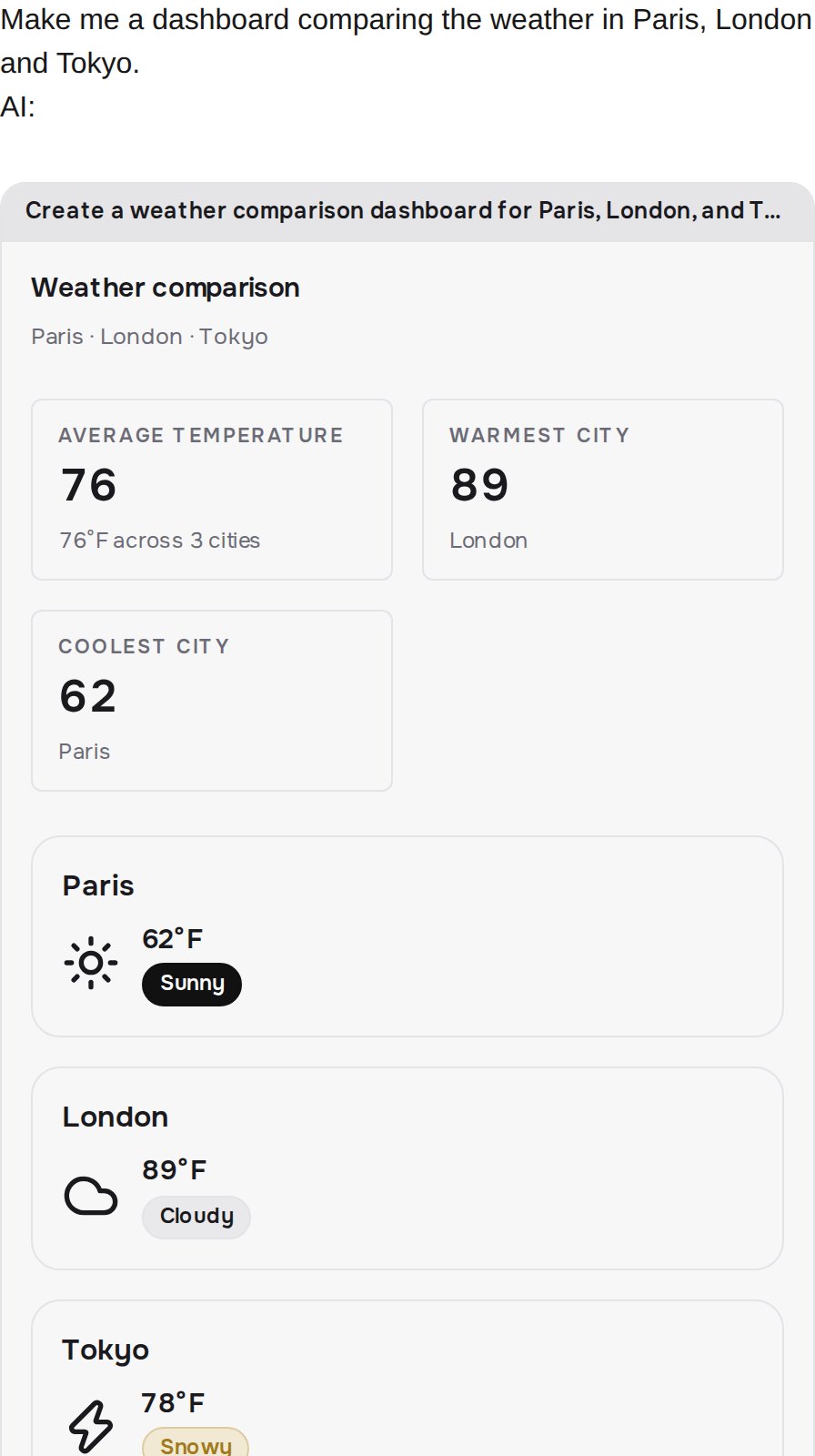
Render that part outside any ``. The embeds root in a `
`, so a chat that wraps every message part in a paragraph puts block markup inside one — the browser reparses it, and React throws a hydration error on the message that held the screen. Use a `
`, or no wrapper at all.
`` handles plain data, app refs, and approval refs, so you never branch on the envelope yourself. Full contract: [Embeds in your chat](/existing-agent/embeds).
 ## One Next.js line
`serverExternalPackages` keeps Vendo's app checker and its native and wasm dependencies out of the bundler.
```ts next.config.ts focus={2} theme={null}
const nextConfig = {
serverExternalPackages: ["@vendoai/apps", "esbuild", "@electric-sql/pglite", "@vendoai/store"],
};
export default nextConfig;
```
On Next 14 the key is `experimental.serverComponentsExternalPackages` — same list, old name and location (renamed in Next 15).
`@vendoai/apps` syntax-checks generated apps with `esbuild`, and PGlite — loaded by `@vendoai/store` — backs persistence. `@vendoai/apps` is the entry that matters: it reaches esbuild through a variable specifier the bundler cannot see, so an `"esbuild"` entry on its own is inert. Paste all four — `vendo doctor` fails [`E-CFG-004`](/production/troubleshooting/e-cfg-004) on any one that is missing. The wire route needs no `runtime` or `dynamic` export, since Node is the default runtime and route handlers are already dynamic.
## Two models, one key
Your loop and Vendo's own turns each call a model. `vendoModel()` resolves through the Cloud gateway on your `VENDO_API_KEY`, and the builds behind `vendo_make` resolve the same way while `createVendo`'s `models` block is unset.
A name you pass reaches the gateway verbatim, since there is no client-side translation of model ids. Which seat takes which name is on [Model credentials](/production/model-credentials).
`vendo doctor` cannot see your loop's model, so an install is not done until a chat turn renders a Vendo tool output.
## The full example
[`examples/ai-sdk-agent`](https://github.com/runvendo/vendo/tree/main/examples/ai-sdk-agent) is the stock [AI SDK Next.js chatbot](https://ai-sdk.dev/docs/getting-started/nextjs-app-router) with this diff applied. Every added line sits between `--- vendo` and `--- /vendo` markers, so `grep` shows you the whole integration.
## One Next.js line
`serverExternalPackages` keeps Vendo's app checker and its native and wasm dependencies out of the bundler.
```ts next.config.ts focus={2} theme={null}
const nextConfig = {
serverExternalPackages: ["@vendoai/apps", "esbuild", "@electric-sql/pglite", "@vendoai/store"],
};
export default nextConfig;
```
On Next 14 the key is `experimental.serverComponentsExternalPackages` — same list, old name and location (renamed in Next 15).
`@vendoai/apps` syntax-checks generated apps with `esbuild`, and PGlite — loaded by `@vendoai/store` — backs persistence. `@vendoai/apps` is the entry that matters: it reaches esbuild through a variable specifier the bundler cannot see, so an `"esbuild"` entry on its own is inert. Paste all four — `vendo doctor` fails [`E-CFG-004`](/production/troubleshooting/e-cfg-004) on any one that is missing. The wire route needs no `runtime` or `dynamic` export, since Node is the default runtime and route handlers are already dynamic.
## Two models, one key
Your loop and Vendo's own turns each call a model. `vendoModel()` resolves through the Cloud gateway on your `VENDO_API_KEY`, and the builds behind `vendo_make` resolve the same way while `createVendo`'s `models` block is unset.
A name you pass reaches the gateway verbatim, since there is no client-side translation of model ids. Which seat takes which name is on [Model credentials](/production/model-credentials).
`vendo doctor` cannot see your loop's model, so an install is not done until a chat turn renders a Vendo tool output.
## The full example
[`examples/ai-sdk-agent`](https://github.com/runvendo/vendo/tree/main/examples/ai-sdk-agent) is the stock [AI SDK Next.js chatbot](https://ai-sdk.dev/docs/getting-started/nextjs-app-router) with this diff applied. Every added line sits between `--- vendo` and `--- /vendo` markers, so `grep` shows you the whole integration.
## One Next.js line
`serverExternalPackages` keeps Vendo's app checker and its native and wasm dependencies out of the bundler.
```ts next.config.ts focus={2} theme={null}
const nextConfig = {
serverExternalPackages: ["@vendoai/apps", "esbuild", "@electric-sql/pglite", "@vendoai/store"],
};
export default nextConfig;
```
On Next 14 the key is `experimental.serverComponentsExternalPackages` — same list, old name and location (renamed in Next 15).
`@vendoai/apps` syntax-checks generated apps with `esbuild`, and PGlite — loaded by `@vendoai/store` — backs persistence. `@vendoai/apps` is the entry that matters: it reaches esbuild through a variable specifier the bundler cannot see, so an `"esbuild"` entry on its own is inert. Paste all four — `vendo doctor` fails [`E-CFG-004`](/production/troubleshooting/e-cfg-004) on any one that is missing. The wire route needs no `runtime` or `dynamic` export, since Node is the default runtime and route handlers are already dynamic.
## Two models, one key
Your loop and Vendo's own turns each call a model. `vendoModel()` resolves through the Cloud gateway on your `VENDO_API_KEY`, and the builds behind `vendo_make` resolve the same way while `createVendo`'s `models` block is unset.
A name you pass reaches the gateway verbatim, since there is no client-side translation of model ids. Which seat takes which name is on [Model credentials](/production/model-credentials).
`vendo doctor` cannot see your loop's model, so an install is not done until a chat turn renders a Vendo tool output.
## The full example
[`examples/ai-sdk-agent`](https://github.com/runvendo/vendo/tree/main/examples/ai-sdk-agent) is the stock [AI SDK Next.js chatbot](https://ai-sdk.dev/docs/getting-started/nextjs-app-router) with this diff applied. Every added line sits between `--- vendo` and `--- /vendo` markers, so `grep` shows you the whole integration.